Rosters that cover the ward and keep to the rules.
Who works which shift, on which day, with which skill — over weeks at a time, inside every contract, around leave and requests. Built on Gradient Path, our column generation engine.
Anyone who staffs shifts by skill, around the clock.
- Hospital wards and departments Registered nurses, enrolled nurses and healthcare assistants across early, day, late and night shifts.
- Aged care Minimum care time and registered-nurse cover, delivered by a largely part-time workforce.
- Emergency and critical care Cover that cannot run short, with strict rest between shifts.
- Other 24/7 operations Control rooms, contact centres, security and transport crews — wherever shifts need particular skills.
One roster per person, for the whole horizon.
For every person: which days they work, which shift they work on each of those days, and which skill they cover — across a horizon of two, four or more weeks. Each roster has to work for that person, and together the rosters have to cover the ward.
The rules that make rostering hard.
- Contracts Hours over the roster and per week, the number of shifts in total and per week, minimum and maximum runs of consecutive shifts, minimum days off in a row, weekends worked, and minimum rest between shifts.
- Shift rules Sequences that are not allowed — no early straight after a night — and limits on particular shifts per contract, down to never working them at all.
- Cover Headcount for every day, shift and skill. Each can be hard — never short, never over — or allowed to bend at a cost you set.
- Leave and requests Time someone cannot work is respected. Requests to work, or not to work, a shift are honoured wherever the rest of the roster allows, weighted by how much each one matters.
Each column is a person's whole roster.
On the platform page, the Master Planner asks a Route Finder for one better route at a time. In rostering, the Route Finder becomes a Roster Finder: given what each shift is currently costing the plan, it builds the best complete roster for one person — every contract rule included — and offers it to the Master Planner as a new column.
Because each roster is built whole, the rules that span weeks — consecutive shifts, days off, weekends, rest — are kept by construction rather than checked afterwards. The engine then branches until every person has exactly one roster (branch-and-price).
Rosters also change after they are made. Pin the shifts that must not move — a person, a day, a single slot — and re-optimise the rest. A stay-close-to-the-draft setting prices every change, so the engine moves somebody only when it is worth it.
A roster your planners can read, edit and publish.
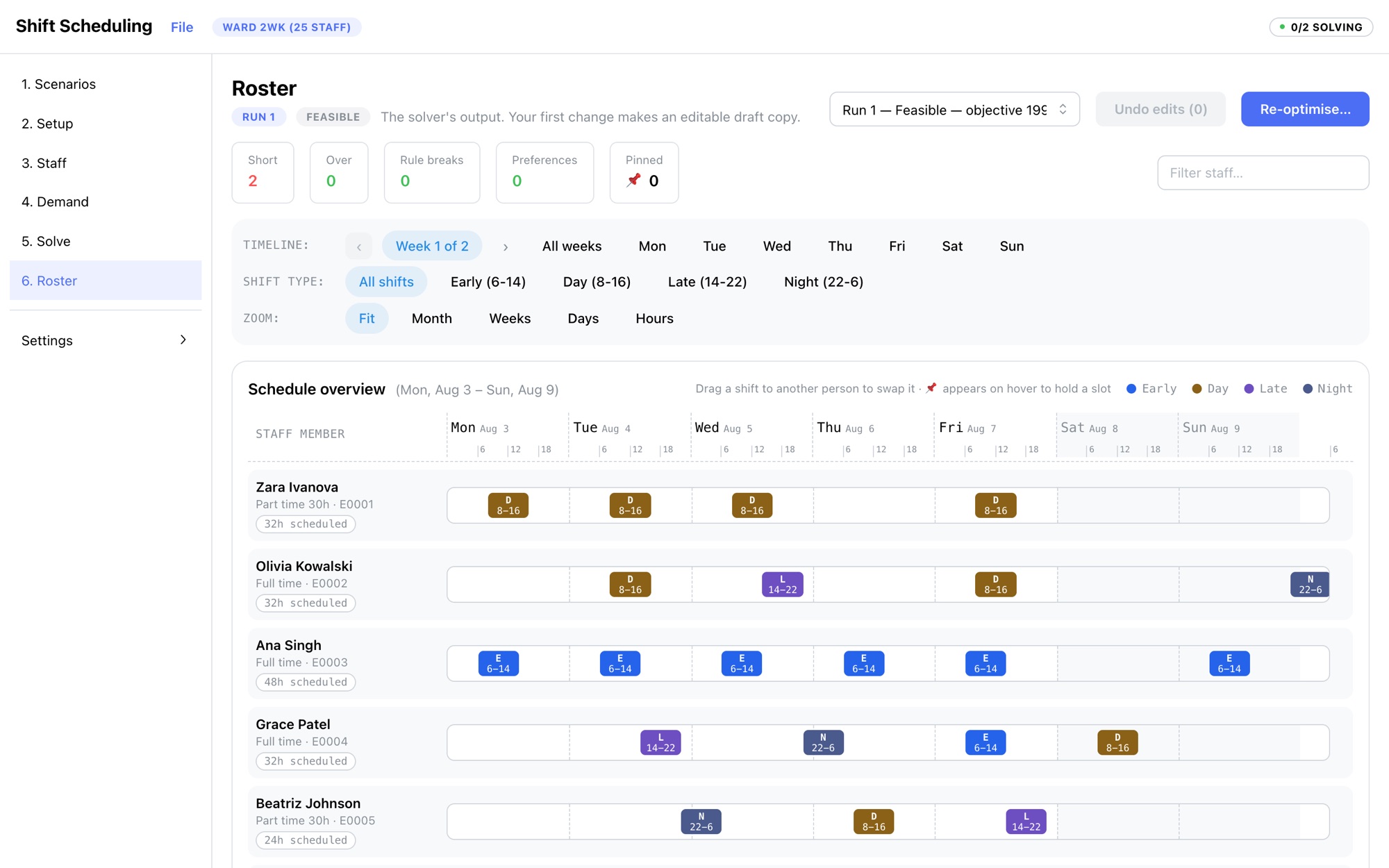
Change it, and keep the rest.
Drag a shift to swap it, pin what must hold, and re-optimise only what is broken, the week on screen, or everything not pinned. The result comes back as a proposal, person by person, to accept or discard. Publish freezes a roster once staff have been told.
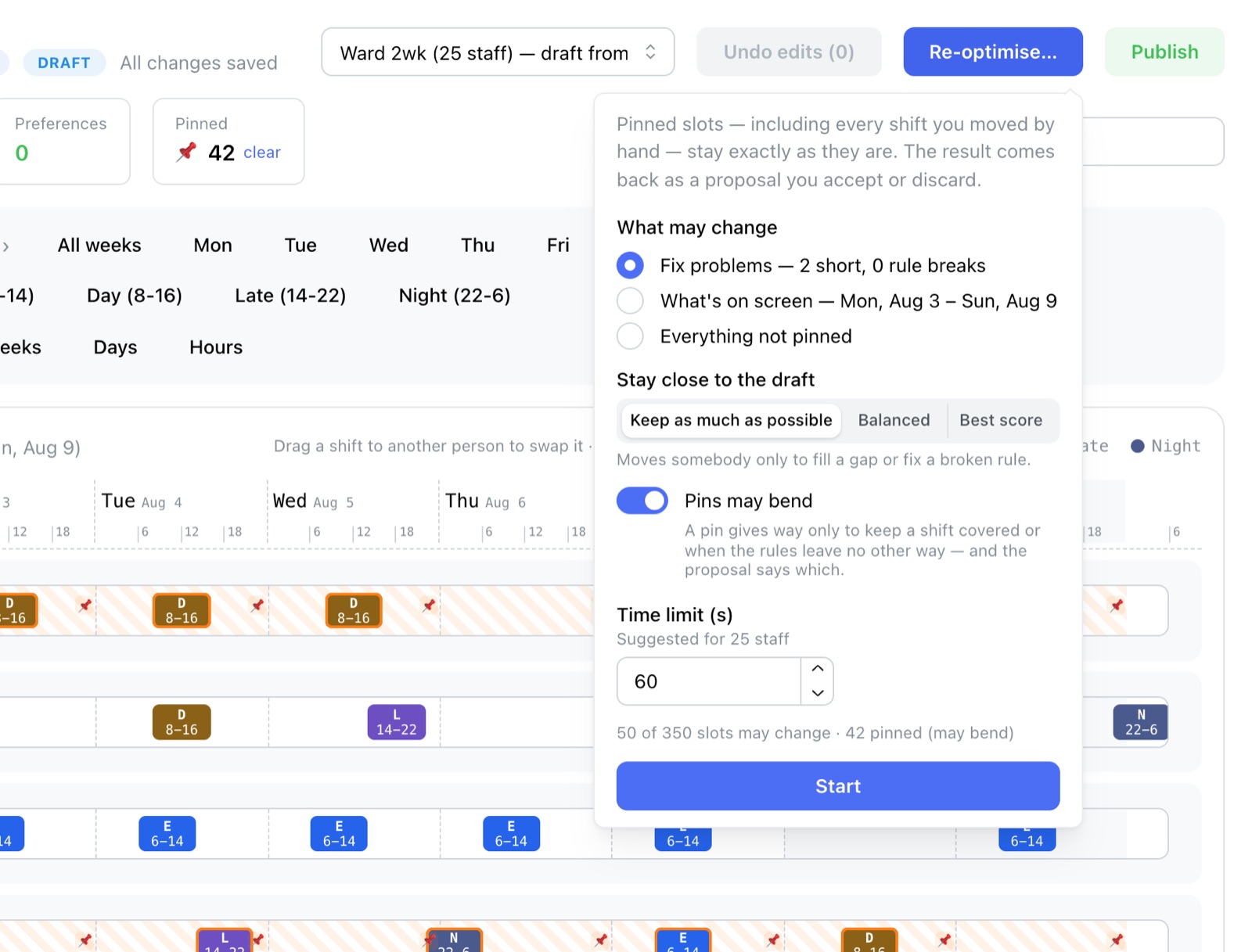
What your planners get.
- A first roster in seconds A 25-person ward over two weeks solves in about 14 seconds, so there is time to try several versions before choosing one.
- Cover, priced in Shortfalls and overstaffing are what the plan is costed on, so the engine works to remove them — and shows any it cannot.
- No rules to check by hand Every roster is built inside its contract, so rule breaks are not left for a planner to find.
- Small changes stay small Pins and the stay-close setting keep a published roster steady when something changes.